
- Information
- Download
- Product Inquiry
| Model name | Type | Title | File |
|---|---|---|---|
| no data. | |||
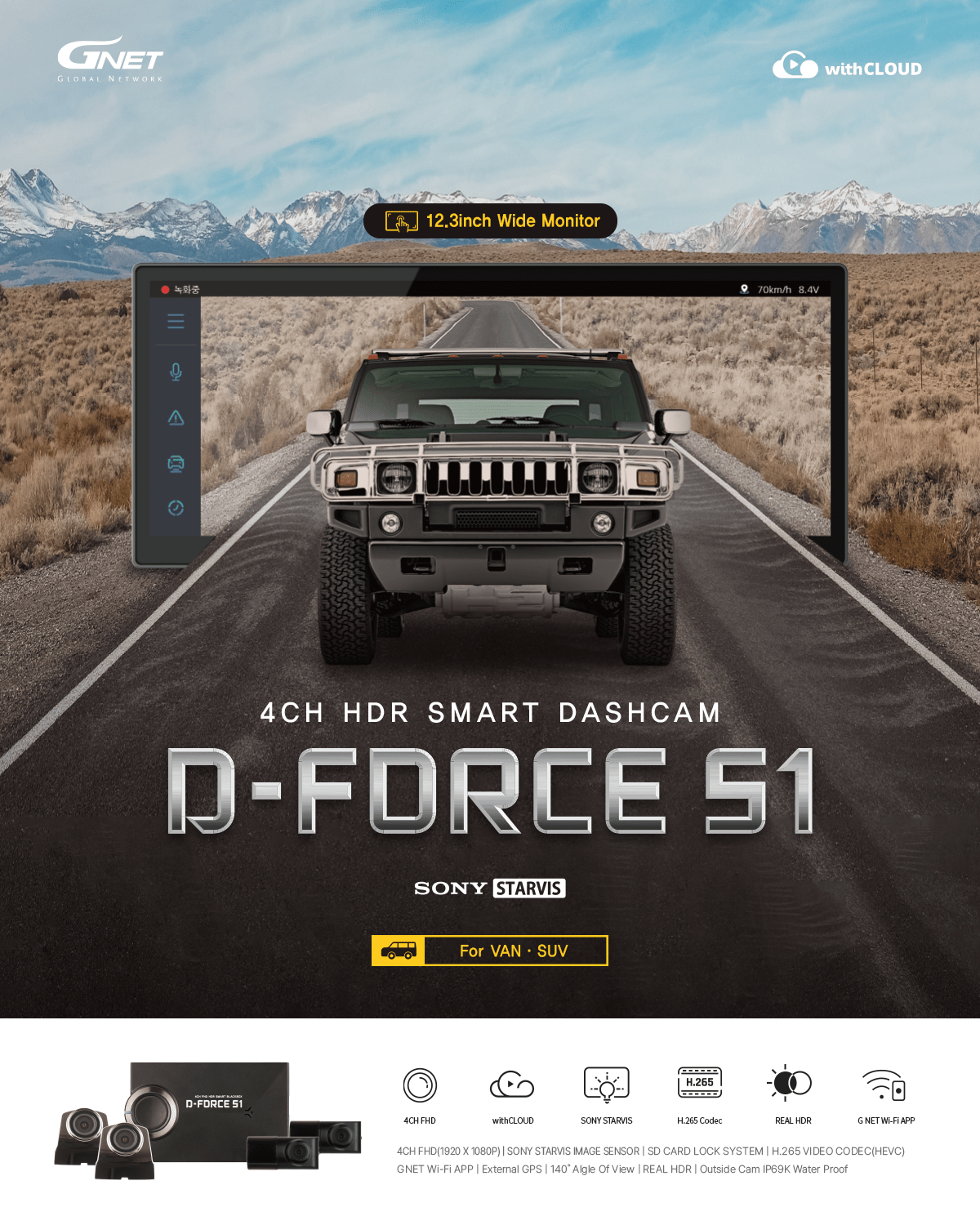
12.3inch Wide Touch Screen
LCD GUI
With the wide screen touch monitor
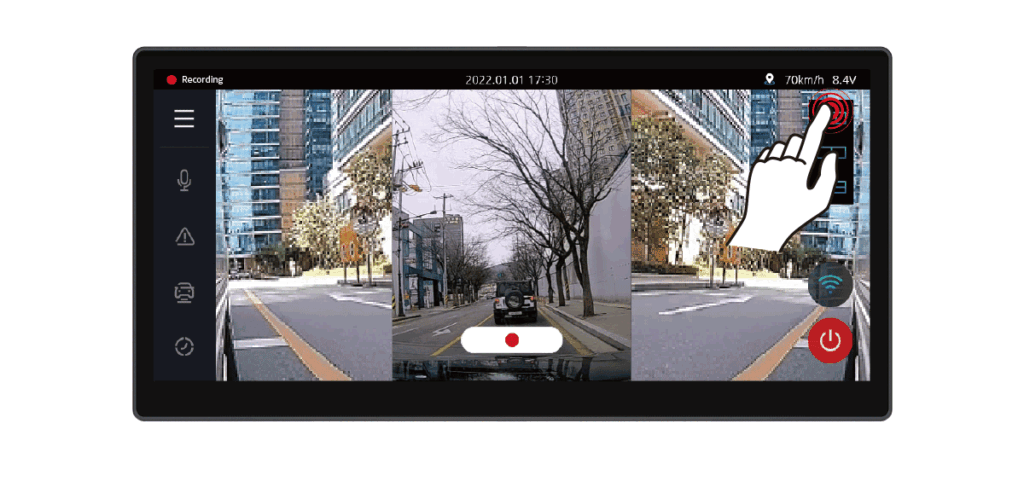
The Real-time video, Play recorded video, Dash Cam Settings and memory card with smart GUI can be managed directly from the front camera without PC connection.
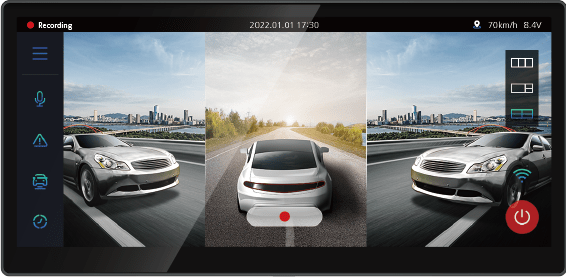
3 screen divisions
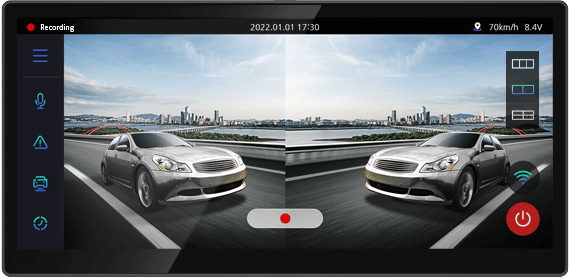
2 screen divisions
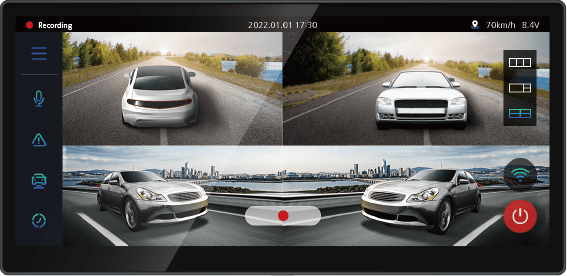
4 screen divisions
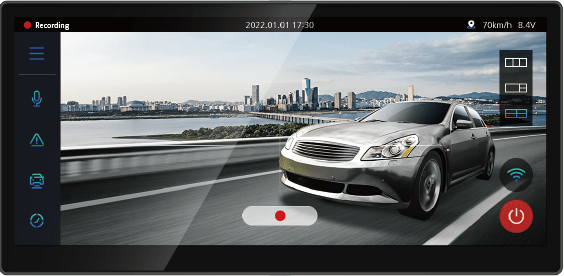
Touch the screen
Outstanding Visibility under the Starlight

The STARVIS is back-illuminated pixel technology used in CMOS image sensors for surveillance camera applications.
It features a sensitvity of 2000 mV or more per1 um2(color product, when imaging with a 706cd/m2 light source,
F5.6 in 1 s accumulation equivalent), and realize high picture quality in the visible-light and near infrared light regions.
Clear Recording Quality when Driving at Night
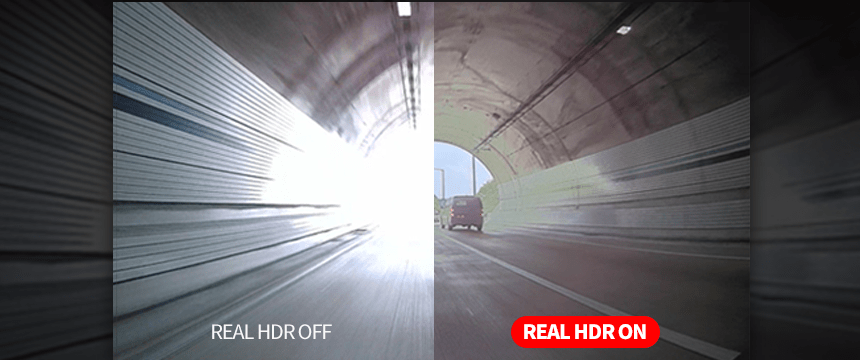
REAL HDR
Real HDR is installed to remove light blurring when driving at night,
Real HDR reduces image blur at night and provides clear recording in various lighting conditions such as backlight and tunnels.
3 Functions for Safe Driving
ADAS
“ADAS update”
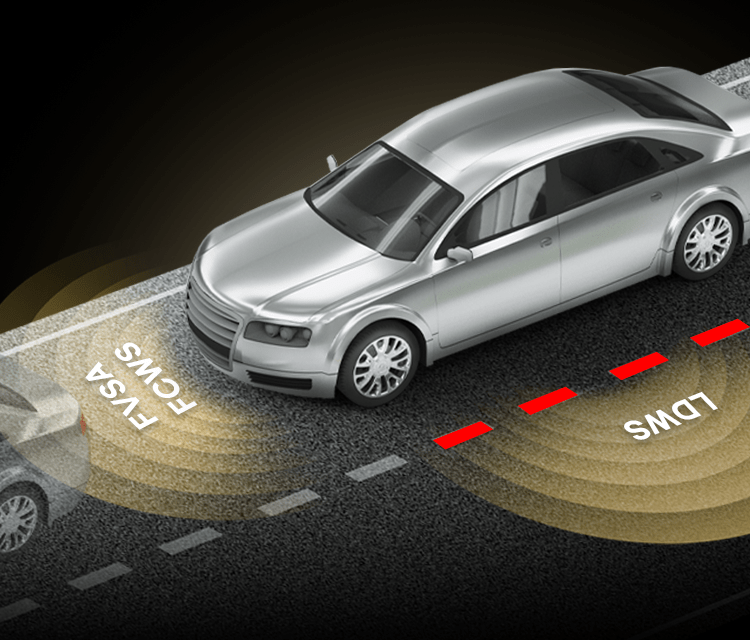
ADAS is a safe driving assistance system for the driver’s safe driving environment
FVSA
Front Vehicle Start Alarm
When the vehicle in front of you moves more than 2 meters away, the dash cam lets the driver know with a beep sound and a departure icon on the LCD screen.
*Non-LCD products provide sound warnings only
FCWS
Forward Collision Warning System
When the distance to the vehicle ahead decreases rapidly at high speed, the system alerts the driver with a beep and visual warning icon on the LCD screen.
*Non-LCD models provide audio alerts only
LDWS
Lane Departure Warning System
When the vehicle unintentionally departs from its lane, the system alerts the driver with a beep and displays yellow or red warning lines on the LCD screen.
*Non-LCD models provide audio alerts only
* Visual warning icons for lane departure, forward vehicle start, and collision alerts are displayed only when the LCD screen is on.
ADAS functions are available when the GPS is connected.
Available for long parking records
TIME LAPSE
Time-lapse function automatically applied when entering parking mode
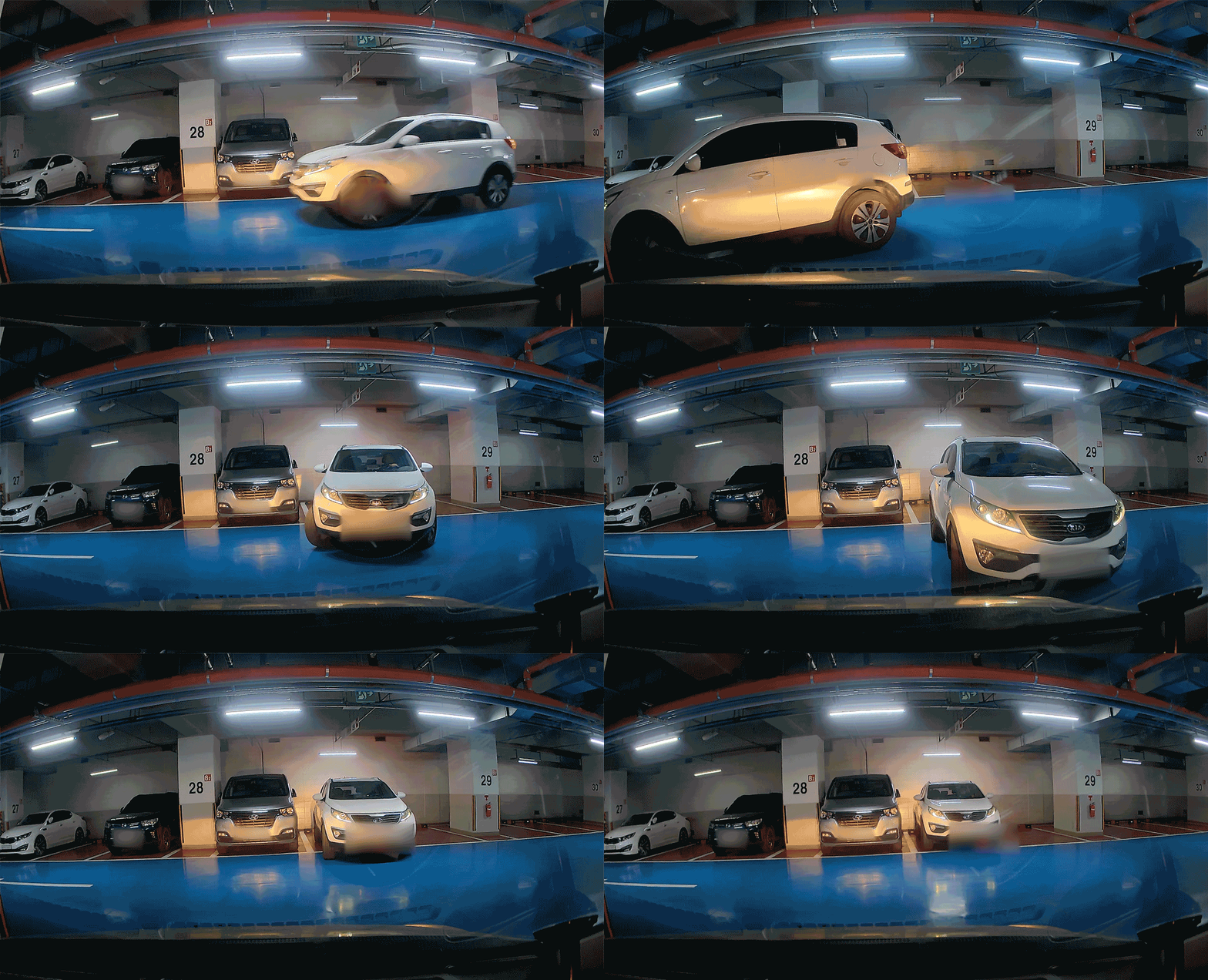
Time Lapse mode records one frame per second, minimizing the size of the video for a long time to record parking.
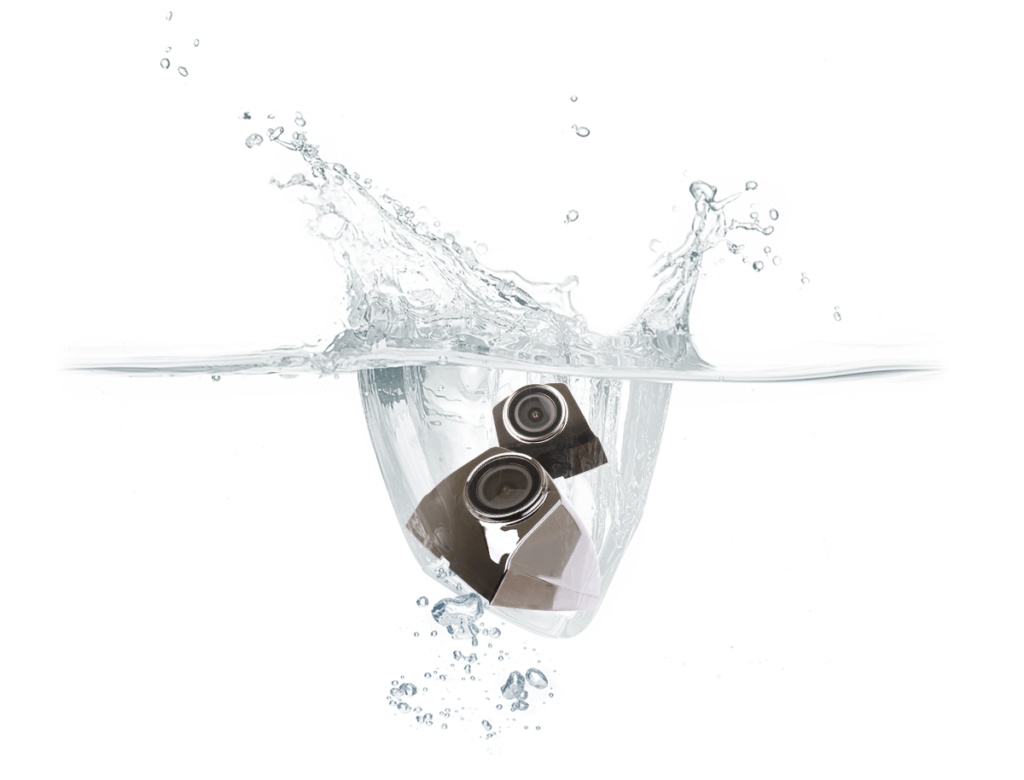
For High pressure and protection against dust (IP69K)
FHD Side Camera
As an essential function, it can be used without problems in high-pressure sprinkling as well as during rain, snow, dust, and washing
Optimal Viewing Angle without Distortion
WIDE VIEWING ANGLE
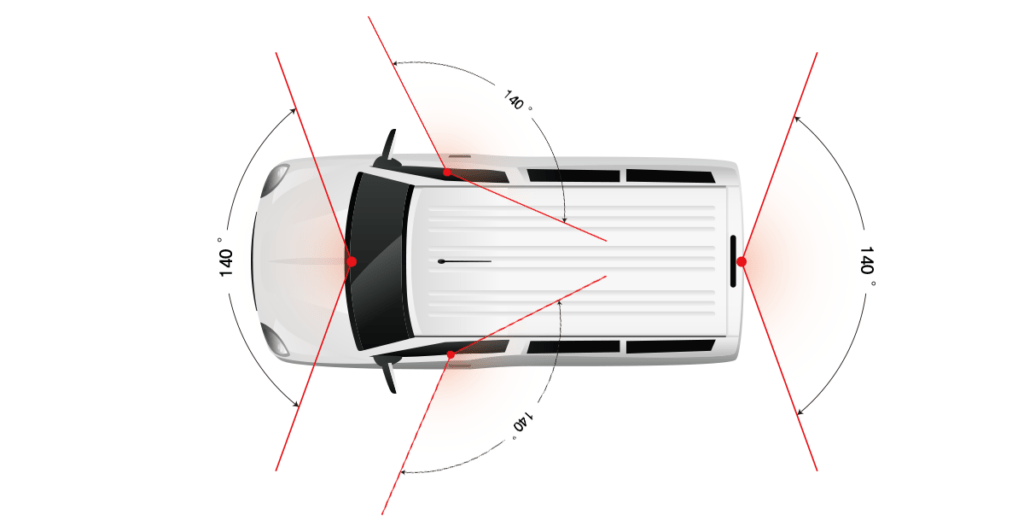
Front camera: 140° / Side camera: 140° / Rear camera: 140°
Excessive angle of view refracts the image, causing effects such as distortion and loss of distance.
The GNET System has an optimal camera angle of 140° view without those problems,
the situation of accidents on the side angle is recorded more reliably, and images without distortion of left / right / up / down are provided.
The New Cloud Service for GNET Dash Cam Users
withCLOUD™
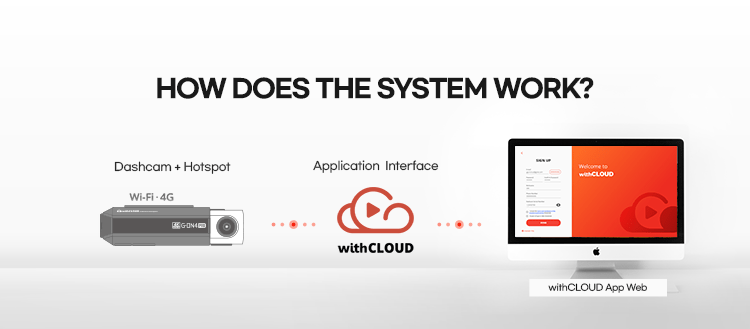

“withCLOUD” for fleet management system by GNET SYSTEM’s technology.
Unlimited storage capacity beyond the limitation of dash camera memory card.
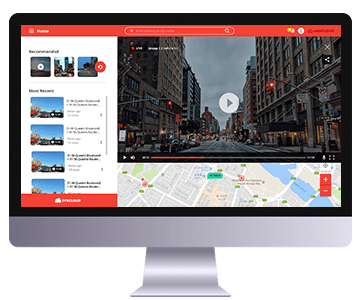
Live Streaming
Monitor driving and vehicle status in live,
video feeds are available from all dash cam channels
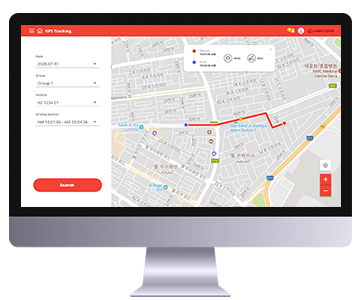
Live GPS tracking
Check vehicle’s location by tracking GPS signal,
and check simply status of traffic condition
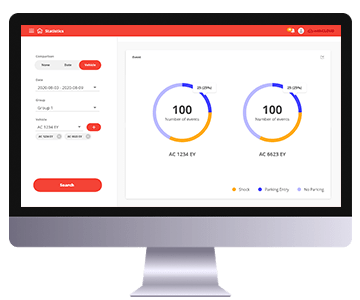
Statistics
Check driving patterns,
analysis data of time period of packing mode, driving mode, speed and distance.
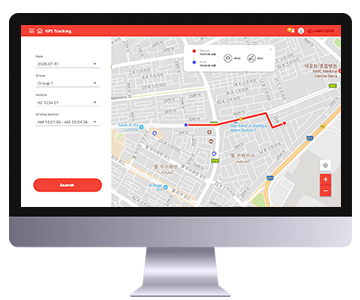
Geofencing
Set a geofence around a designated location.
The system sends an alert when the vehicle enter or leaves the defined area.
Smartphone Link via Wi-Fi®
G-NET APP
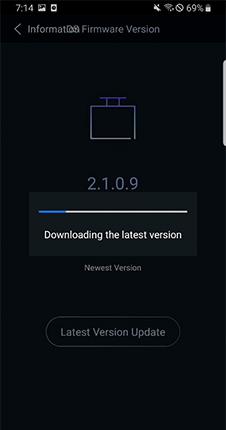
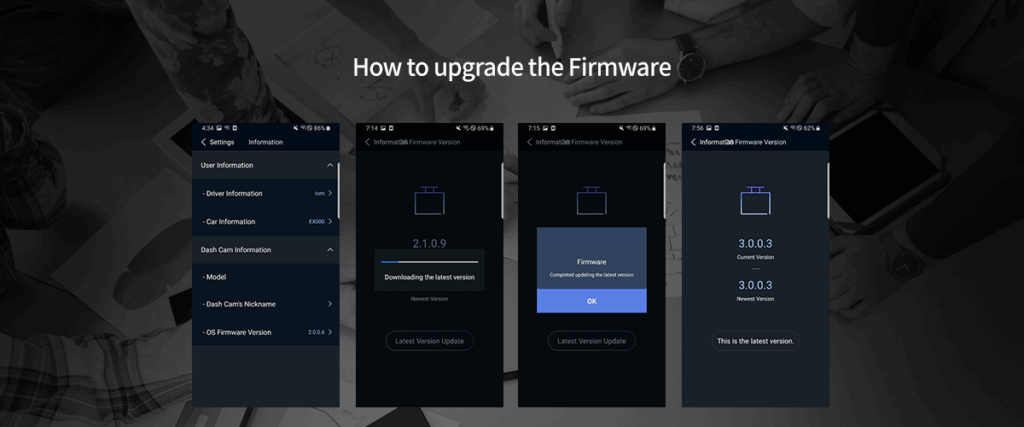
User-focused
Firmware Upgrade
After accessing the firmware
configuration by APP, the latest
firmware can be automatically
searched for and downloaded.
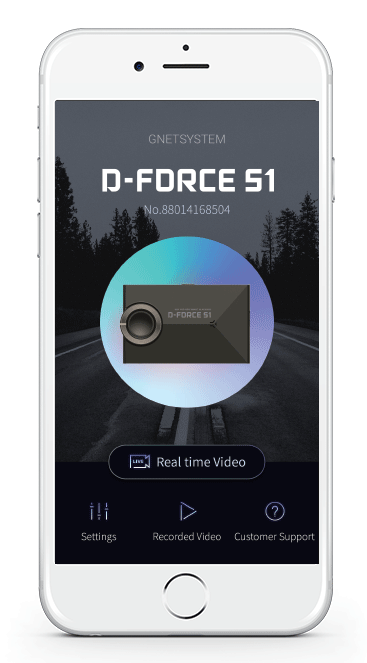
All the features you need at once!
Easy and convenient GNET APP
You can easily set up device registration,
real-time video setup, recorded
video list, and customer support
through the main screen.
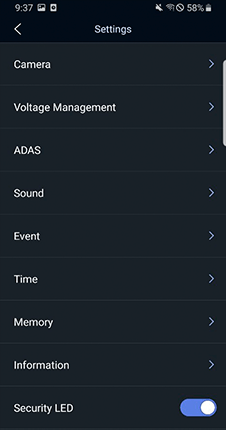
Customized
configuration by APP
Using the Smartphone APP,
you can upgrade the firmware
and play video as well as
configure various settings
*You can only connect your smartphone with WiFi® dongle connected to the dash cam(WiFi® dongle is sold separately)
*Disable IOT/WiFi feature when CLOUD is enabled
For Vehicle Battery Discharge Protection
LBP FUNCTION
An intelligent safeguard function that automatically stops recording when the voltage drops below
a specified level and cuts off power to protect the vehicle battery.
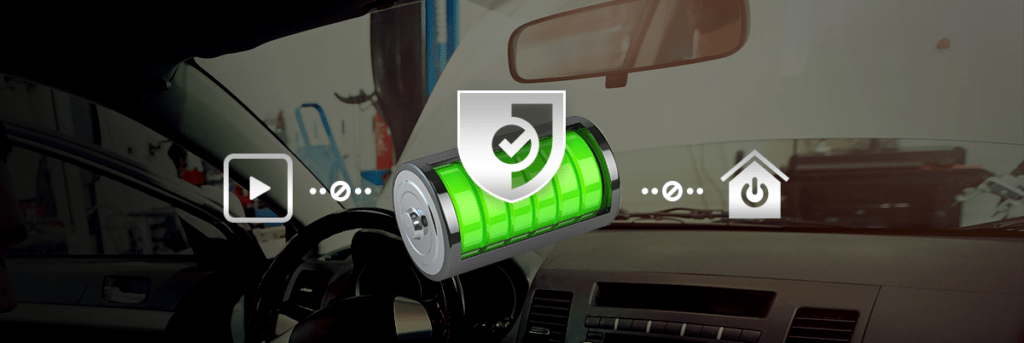
LBP (Low Battery Protection) Auto Safeguard ( ON / OFF )
The vehicle’s voltage can be checked while recorded videos, and settings can be be adjusted using the GNET PC VIEWER.
Settings can also be changed wirelessly through the GNET APP via smartphone connectivity.
Division
Power off
Configurable Voltage (V)
11.3
11.5
11.8
12
12.3
Convenient and Diverse Functions
FUNCTION

HIGH TEMPERATURE
TEST PASSED
G-Net dash cam have successfully passed rigorous high-temperature testing. Unlike conventional dash cams that may shut down in extreme heat, G-NET products are engineered to operate reliably in high-temperature environments.

MEMORY CARD AUTOMATIC
RECOVERY & SELF-FORMATTING
Unlike conventional dash cams that require periodic formatting, GNET’s proprietary JDR file system ensures reliable operation without the need for regular formatting.

BUILT-IN VOICE GUIDANCE & MICROPHONE
The dash cam features voice guidance, high-quality auto recording, and a high-performance microphone, allowing drivers to easily monitor operating and recording status while driving.

SECURITY LED
The dash cam features an intelligent security LED designed to dater crime and prevent door dings. It detects movement with a clear view in parking mode, motion detection automatically triggers recording.

EXTERNAL GPS
You can check at a glance the data image received from the GPS while driving.
* External GPS is optional (sold separately)

VARIOUS RECORDING MODES
Parking Surveillance / Motion Detection The event recording is automatically recorded for a certain period of time when the impact is detected on the vehicle in various recording modes.
Compitable GNET PC VIEWER
GNET PC VIEWER
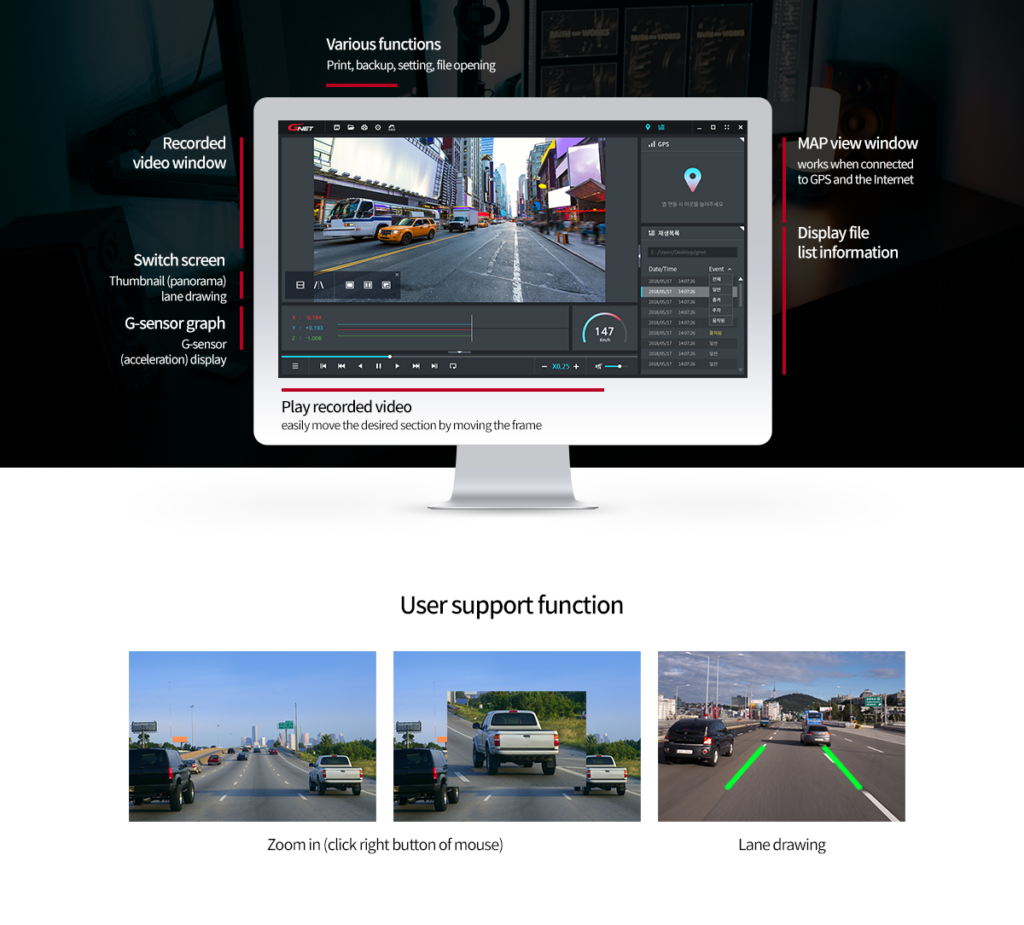
Easily play and review recorded videos using PC viewer
The viewer offers various functions such as zoom, lane drawing, and frame-by-frame playback.
Backup features include AVI/MP4 export, tampering protection, thumbnail previews, and interval search.
D-FORCE S1 VAN DASH CAM
SPECIFICATION
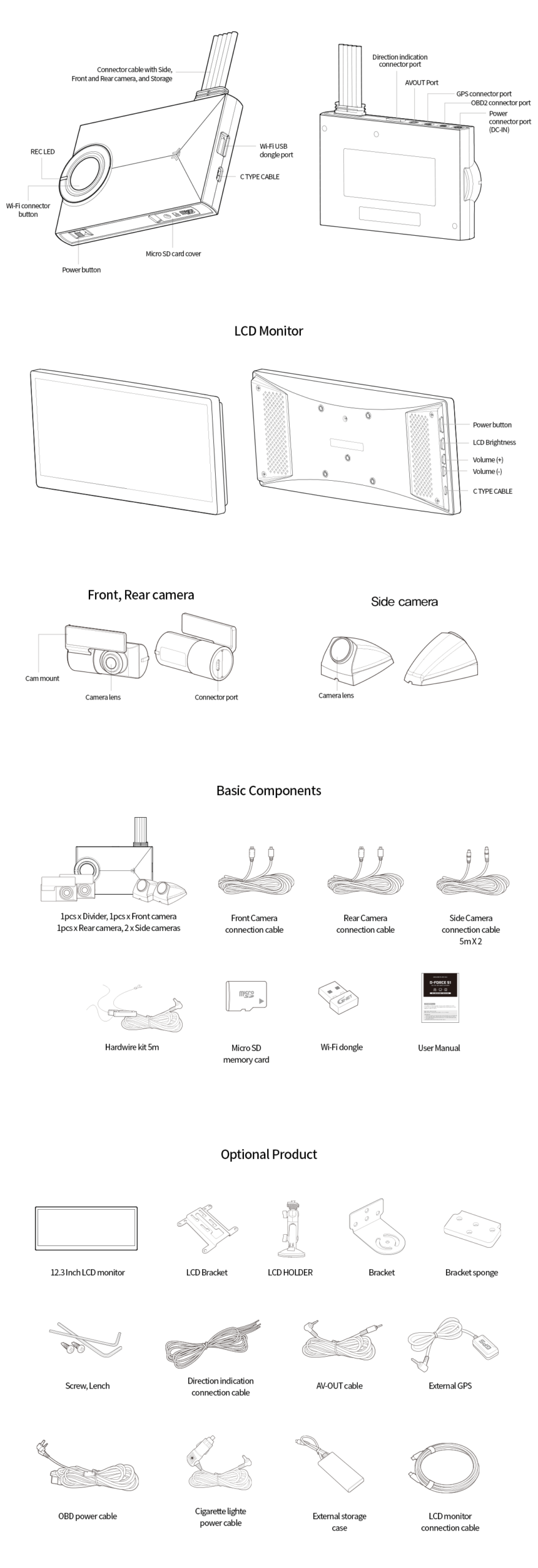
※The image of components may be different from the real components.
※Specifications and Components may be changed without notice for improving quality.
※We are highly recommend to use a Genuine Memory card from Gnetsystem.3A
| Image Sensor | SONY Starvis |
| Audio input | Built-in Microphone |
| Video Compression | H.265 |
| Audio Compression | ADPCM |
| Resolution | Front, Rear, Right, Left : FHD (1920 X 1080) |
| Frame Rate | All cameras : Max. 30 FPS |
| 3G/4G/Router (Optional) | Connect to withCLOUD™ via 3G/ 4G/ Router telecommunication |
| Wi-Fi (Optional) | Connect to GNET Smart phone application via Wi-fi® dongle |
| G-Sensor | Event recording by External Shock |
| Speaker | Operation Status alarm / Voice guidance |
| External GPS | Synched with Google map, Keep track of location and Speed |
| Angle Of View | Front: 140°, Rear: 140°, Right Side: 140°, Left Side: 140° |
| Viewer | Windows XP/7/8/10, Support 32Bit / 64Bit, Synchronizing Google map with PC viewer is supported over Windows7 and explorer 10 as per Google’ s policy. |
| Power | DC 12V – 24V |
| Acceptable current value of the supplied fuse | 3A |
| Operation Temperature | -10℃ ~ 70℃ |
| Humidity | 10~95% |
| Dimension (WxHxD, mm) | LCD Monitor: 308.2×131.5×29.4MM 12.3Inch Divider: 120×74.8x18MM Front, Rear camera: 59.5×39.8×31.2MM Left, Right camera: 24.5×34.5x54MM |